What Should I Do If AI Gets My Business Information Wrong? A Step-by-Step Correction Guide
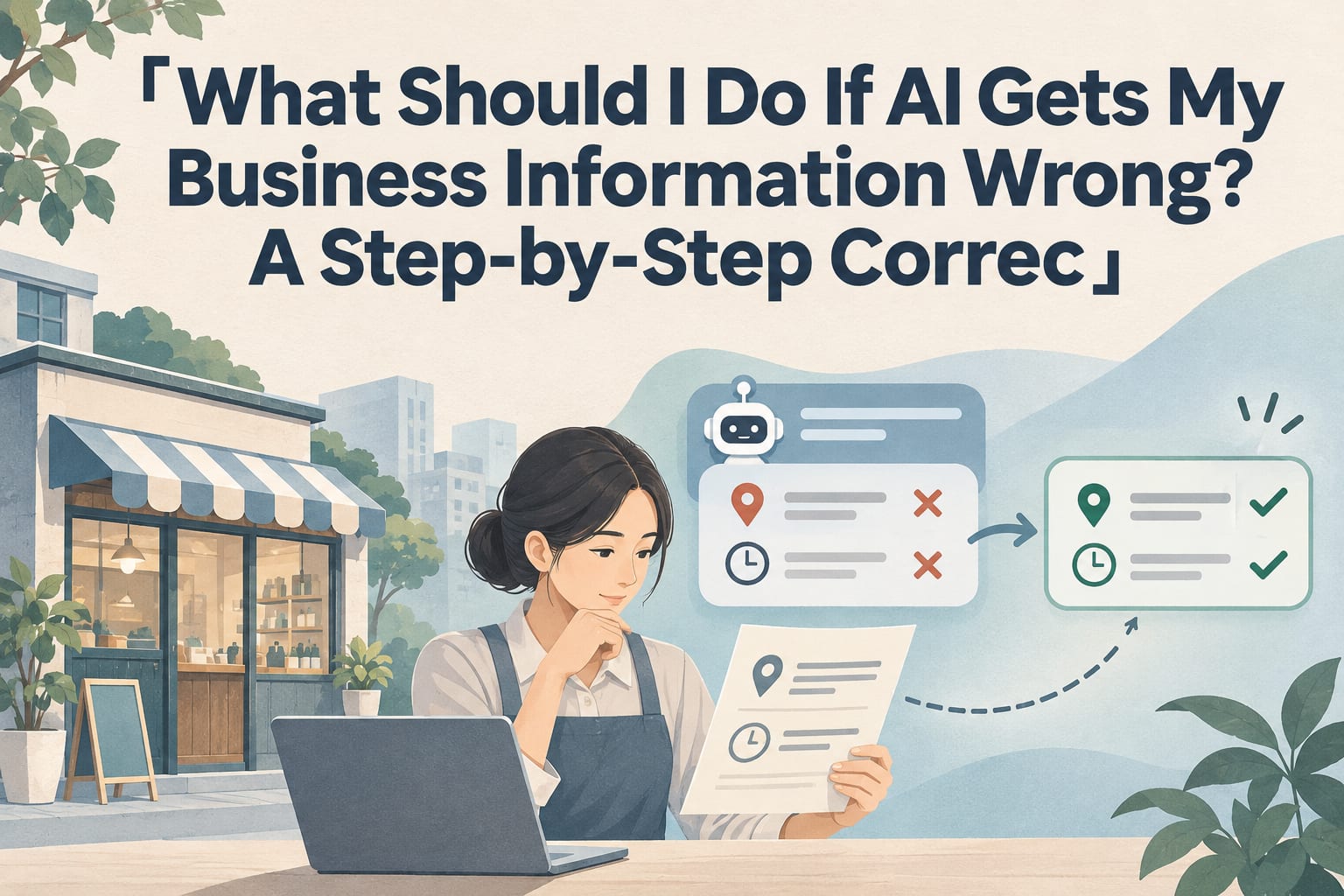
When AI gets your business name, opening hours, address, or services wrong, first save the answer and its cited sources, then correct the official pages you can manage. Next, report the issue to the incorrect sources and the AI platform, and check again using the same set of questions. Correcting it once in a conversation does not mean the answers other people see will also be updated. This article will guide you through locating the errors, organizing the correct information, and confirming whether the corrections have taken effect.
First, Determine: Is the Source Wrong, or Did the AI Get It Wrong?
First, check whether the answer includes sources, and open them to verify the page content. There are three common situations:
- The source itself is outdated: An old address or price list is still public, and the AI cited outdated content.
- The source is correct, but the answer is wrong: The page says the business is closed on Mondays, but the AI says it is open every day. This may be an interpretation or generation error.
- The business has been confused with another: Information about businesses with the same name, branches, or other businesses in the same industry has been combined into a description of your business.
If no sources are cited, mark it as “source unknown” first, rather than assuming a particular website caused the problem. An AI saying it “found” a piece of information does not mean there is verifiable evidence.
How Do You Correct Business Information Step by Step?
Save the incorrect answer and create a record. Take screenshots of the AI conversation containing the error, preserving the full question, answer, query date, platform name, and cited pages. Record each error in a spreadsheet, such as “Incorrect address: still shows the address from before the move.” Make sure the record gives colleagues enough information to reproduce the issue, rather than leaving only a comment like “The AI made things up.”
Choose one official page and clearly state the correct information. On your website’s contact, location, or service page, list the business name, branch name, address, phone number, opening hours, and booking method together. Add an effective date, distinguish regular opening hours from temporary changes, and present key information as selectable text wherever possible. After publishing, open the public page on a phone to confirm that it is visible without logging in and that the information does not contradict itself.
Update the platforms you can manage as well. Open the management interfaces for your Google Business Profile, social media bios, booking pages, online stores, and other platforms, and correct the corresponding fields one by one. Refer to the latest official instructions for each platform’s editable fields, review procedures, and navigation steps. Once finished, switch to the public visitor view to confirm that the information is displayed. Successfully saving changes in the management interface does not necessarily mean the public page has been updated.
Address old information that is still public. Search for “business name + old address” and “business name + opening hours” in a search engine, and check old announcements, price lists, branch pages, and third-party directories. Update pages you manage or add prominent notices about relocation or discontinued use. For pages managed by others, contact them through their correction channels and provide the location of the error and supporting official information. Check the status of each page and record a follow-up date for any that remain uncorrected.
Report the issue to the AI platform that made the error. Look beside the answer for a feedback, flagging, or issue-reporting option, and include the incorrect sentence, the correct information, and the official page. If you cannot find a suitable reporting option, consult the platform’s official documentation; available features are subject to the latest official instructions. Save a record after submitting the report. If there is no case number, at least record the date and what you submitted.
Check again using the same questions. Open a new conversation, ask the original question again, and add a natural variation, such as “Is this business open on Mondays?” Compare the answers, cited sources, and branch details for accuracy, and record the results. You can check again after a few days, then schedule follow-ups based on the impact of the error. One correct answer only proves that this particular answer is correct; it does not mean the issue has been fully resolved.
How Should You Write a Correction? You Can Copy This Example
The following is a hypothetical example. Replace the text in square brackets with your own information. Suppose the AI says “open every day” instead of “closed on Mondays.” Both your website and your report should clearly identify the difference.
If your website originally says only “Come visit us; hours are subject to announcements,” neither readers nor AI can easily confirm the hours. You can change it to:
[Business name / branch name] Opening Information
Effective from: [Year / Month / Day]
Regular opening hours: Tuesday–Sunday, 11:00–19:00
Regular closing day: Monday
Address: [Full address]
Temporary closures and holiday changes: Please see the latest announcements on this page
Last updated: [Year / Month / Day]
When reporting the issue to the AI platform, you can write:
Query date: [Year / Month / Day]
My question: [Paste the full question]
Incorrect answer: [Paste the incorrect sentence]
Correct information: [Business name / branch name] is closed on Mondays, not open every day.
Official supporting information: [Enter the location of the official opening information page]
Please help check this answer and its cited sources.
Use the same format for incorrect addresses or prices. For prices, specify the plan, applicable conditions, and date to prevent a single figure from being treated as a universal price for all services.
What Common Mistakes Can Make Your Correction Efforts Go to Waste?
- Only asking the AI to remember the correction in the original conversation. This may improve the immediate answer, but it cannot be taken to mean that the platform has updated the information for all users.
- Only changing an image. Important information should also appear as page text so customers can easily verify it and to reduce barriers caused by relying solely on image recognition.
- Using the same vague wording for all branches. If branches have different addresses or hours, specify each one separately to avoid uncertainty about which location “this store” refers to.
- Repeatedly publishing contradictory announcements. New announcements should state their effective dates, and old pages should also include updates; otherwise, both old and new versions may be found at the same time.
If the error has already caused customers to make wasted trips, first put clear announcements on your website and main business pages, and proactively notify customers with bookings if necessary. Reduce the immediate impact first, then track whether the AI’s answers improve.
Frequently Asked Questions
How Long Will It Take AI to Update After I Correct My Website?
There is no universal timeline. It depends on whether the platform retrieves the information again and which sources it uses in its answers. Record the date of your changes and check again regularly. Do not assume that an updated website means the AI has also updated.
Can I Make Corrections Without a Website?
You can start by updating the business profiles, social media bios, and booking pages you can manage so that the core information is consistent. When reporting the issue, provide publicly accessible supporting information that identifies the business and branch, and confirm that visitors can read it without logging in.
How Can I Report an AI Answer That Has No Sources?
You can still submit the full question, incorrect answer, date, and official evidence supporting the correct information. You can ask a follow-up question about the sources, but you must personally verify any pages the AI subsequently provides. They cannot automatically be treated as the actual sources of the original answer.
Can Paying Guarantee That AI Will Stop Getting It Wrong?
Do not treat payment as a guarantee of accuracy, and do not accept promises of “guaranteed recommendations.” If you outsource the work, ask the provider to list the pages changed, reporting records, and follow-up check results so that the outcome can be verified.